
Tron AI
The AI-native
|
A Tauri 2 terminal with a built-in editor, AI agents, and live web preview. ~66 MB Windows installer. BYOK or fully local.
See Tron AI in action.
Editor, AI agents, and live Security review — in one pane.
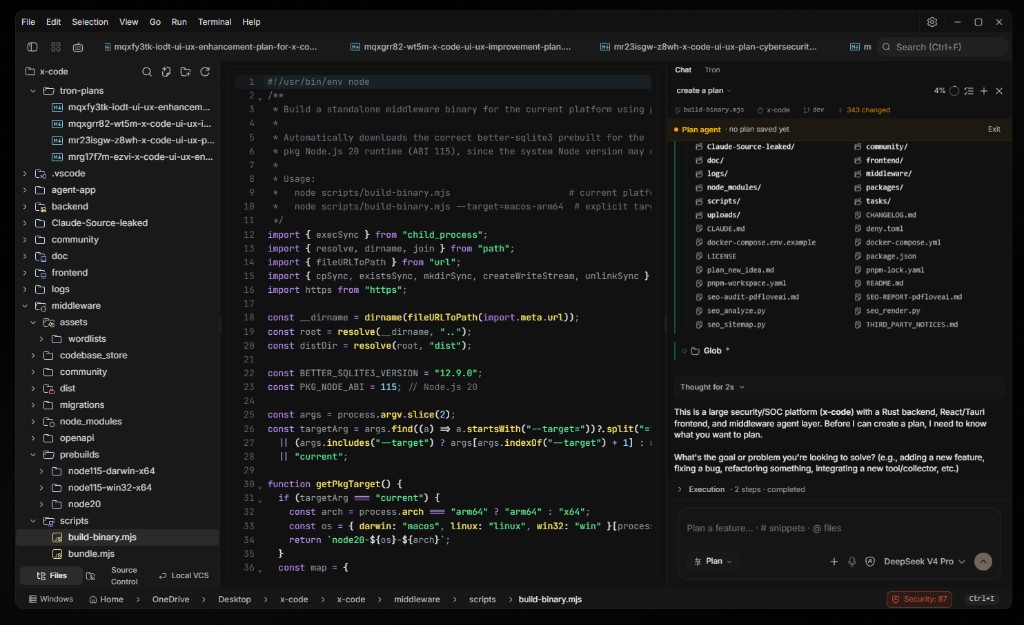
A terminal you'll actually want to live in.
xterm.js with a WebGL renderer, multi-tab sessions, and a file explorer with fuzzy search. Keyboard-first, native PTY.
- WebGL-rendered xterm.js with true-color output
- Multi-tab terminals, editors, and previews side-by-side
- File explorer with icons, fuzzy search, and keyboard nav
- WSL workspace support on Windows
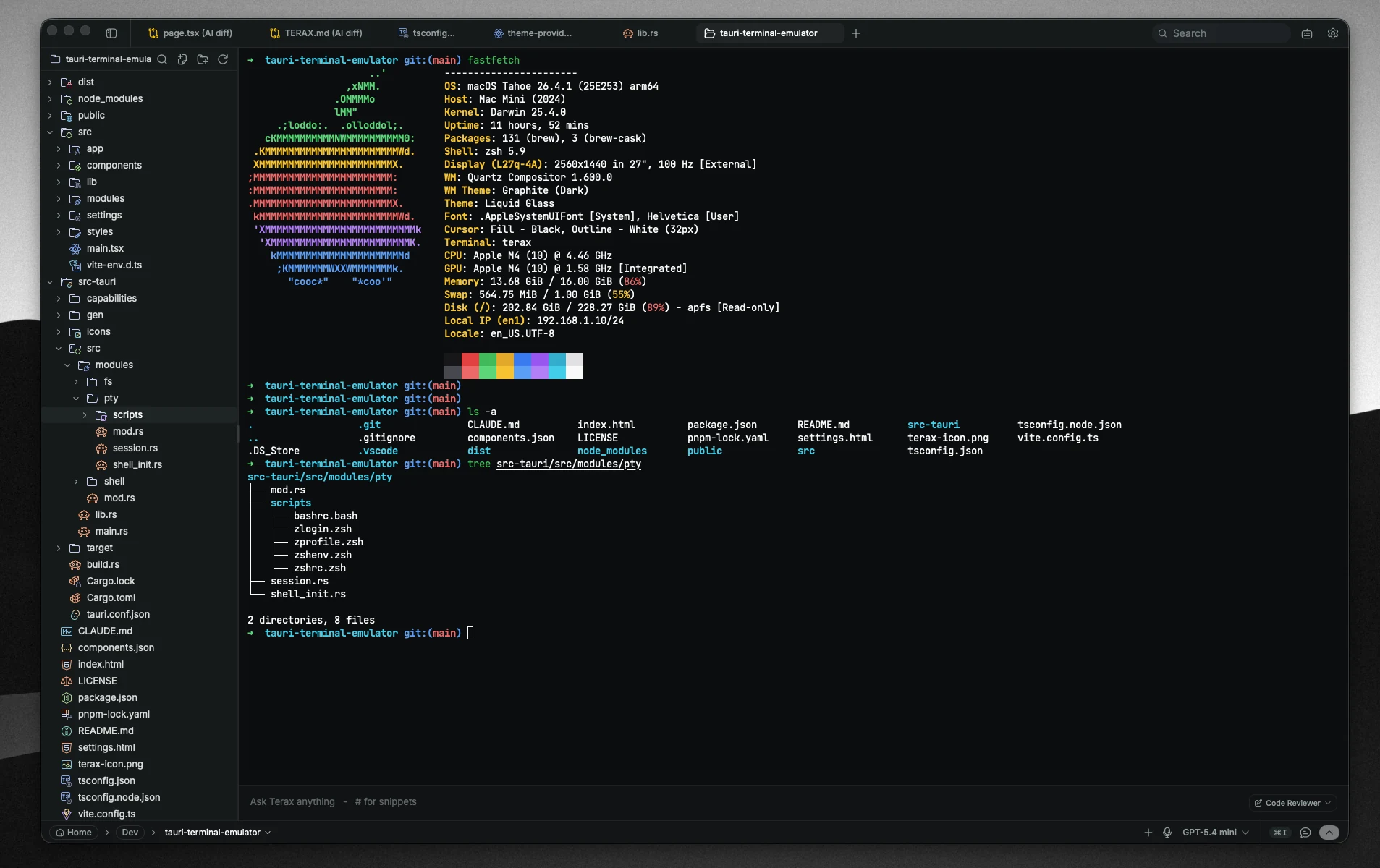
An editor with real Vim mode and AI autocomplete.
CodeMirror 6 with inline AI completions, first-class Vim, and prebuilt themes — no LSP required to start typing.
- Inline AI autocomplete
- Real Vim mode (motions, registers, marks)
- Tokyo Night, Nord, GitHub, Gruvbox, and more
- Reviewable AI edit diffs before anything hits disk
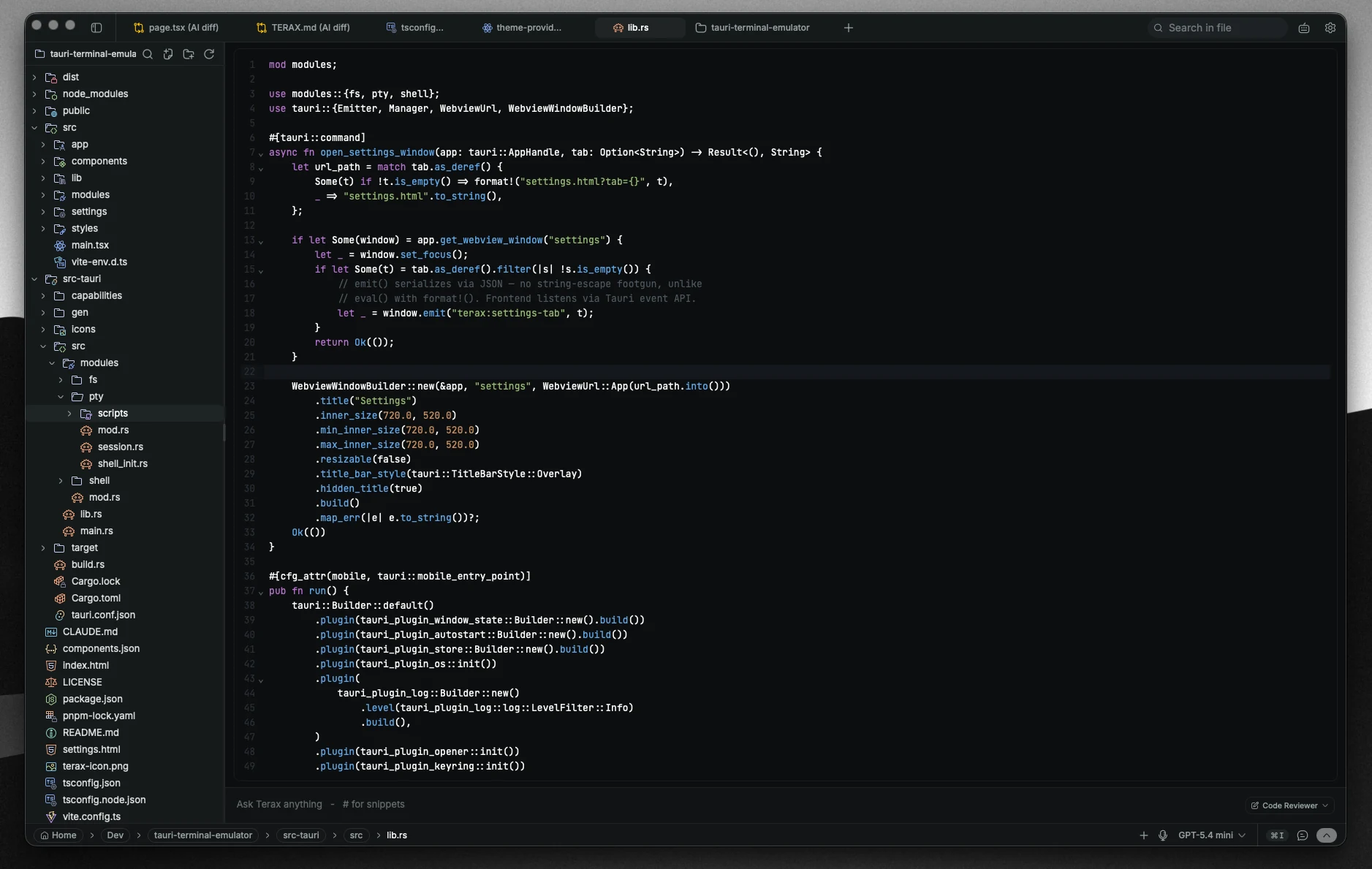
Secure coding, live — while you type and as agents write.
Opt-in Security review scans for insecure patterns as you code. Local rules run instantly with no tokens; an AI deep-review adds depth on agent-written files. Agent self-fix can correct critical issues before you approve — never hard-blocks.
- Live local scanning as you type — secrets, injection, weak crypto, and more
- AI deep-review after agents write code (your model or a cheaper one)
- Advisory or Agent self-fix — critical issues fed back for auto-correction
- Status bar findings count + Security panel with remediation hints
- Optional AI review of git-changed files for logic and correctness
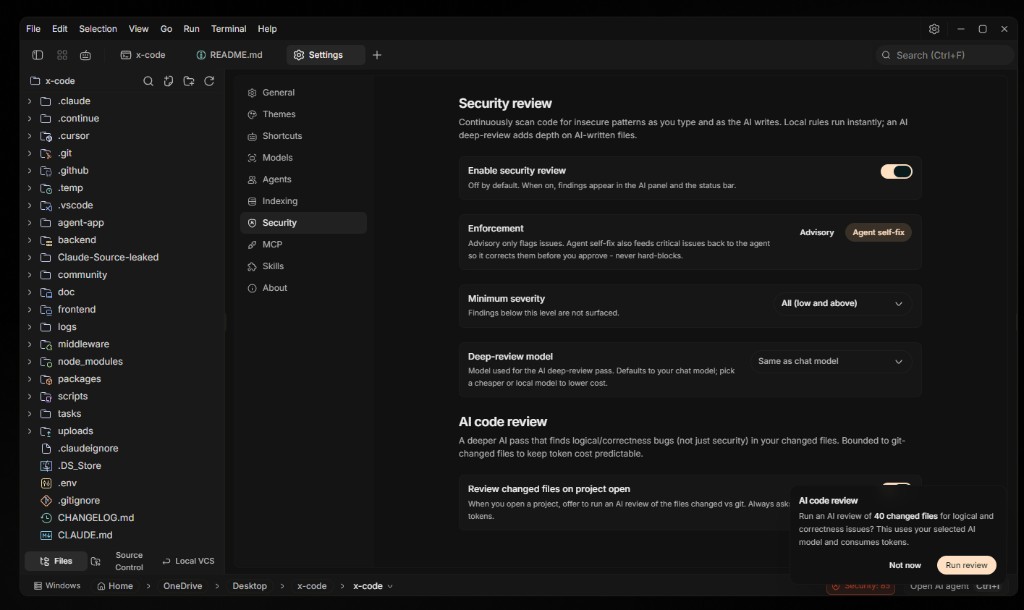
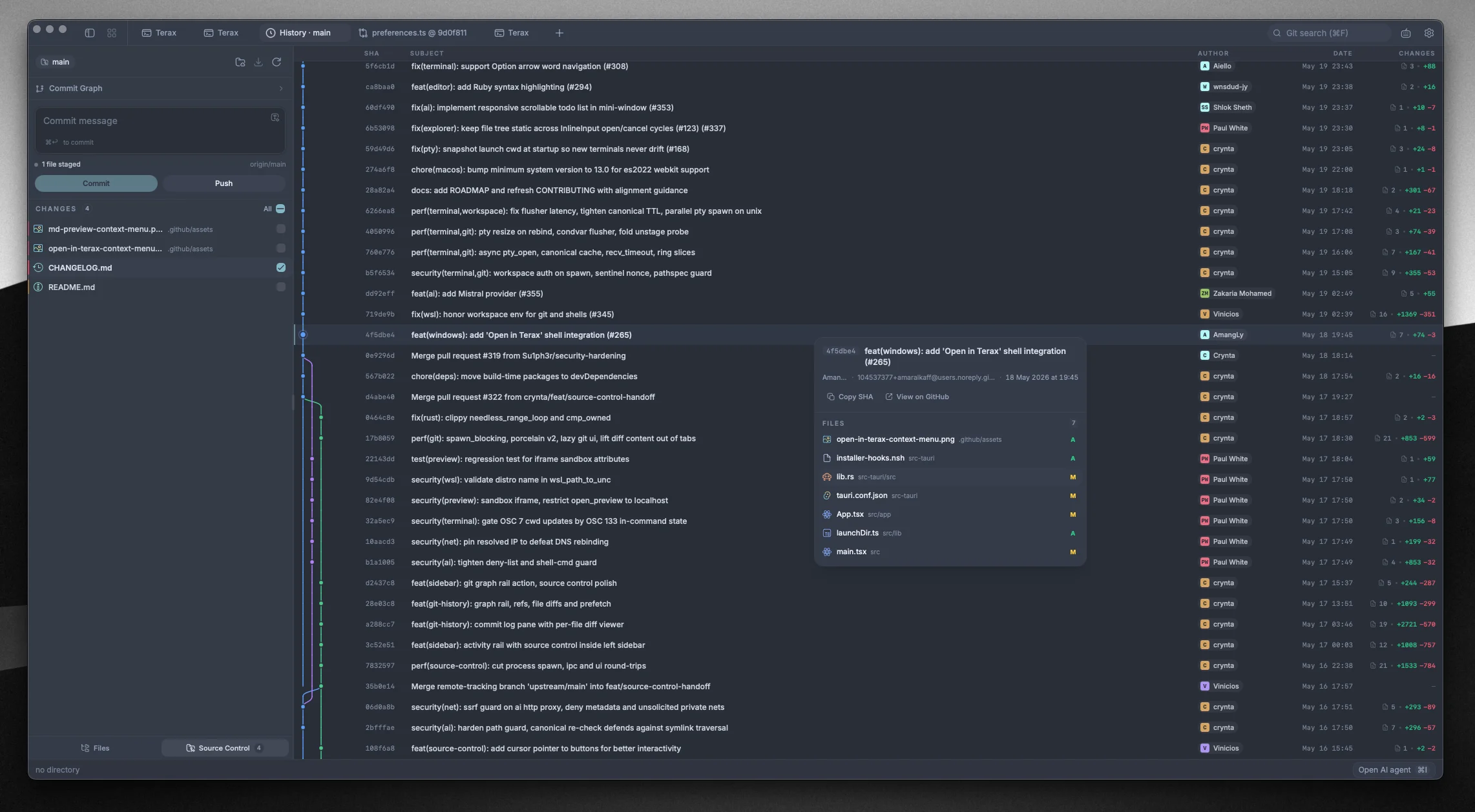
Git, with a graph that finally makes sense.
Stage files, commit, branch, and read history through a real commit graph — without leaving your workspace.
- Stage, unstage, and discard changed files
- Commit and push with upstream awareness
- Commit graph with branches, merges, and refs
- Per-file diffs beside the editor
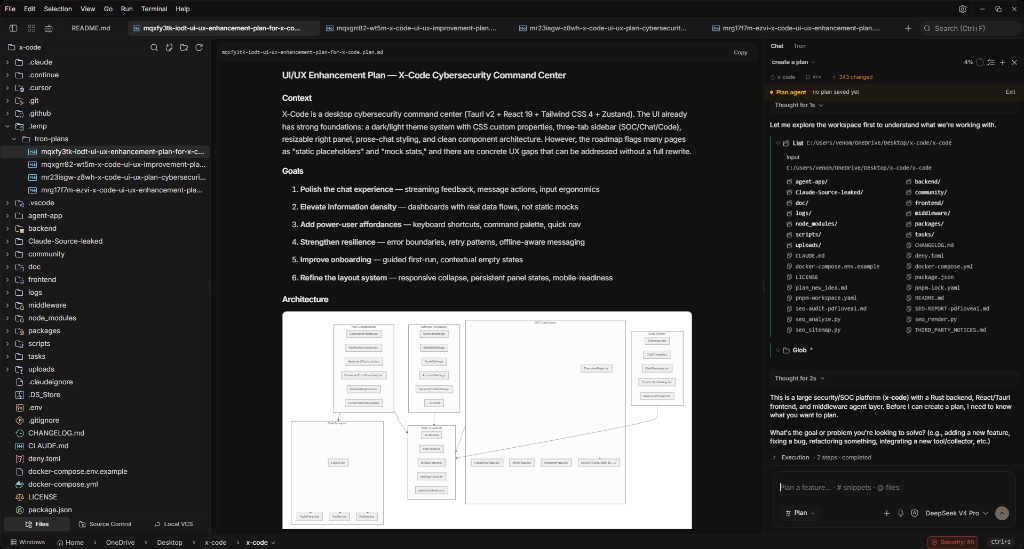
Agents that read, plan, and ship diffs.
Multi-agents and sub-agents browse files, run commands, and propose changes — every edit lands in a reviewable diff before it touches disk.
- AI Edit Diffs — review every change inline
- TRON.md memory + per-project context in your repo
- Slash commands, skills, and MCP tool servers
- BYOK cloud providers, or local via LM Studio / Ollama / MLX
- Voice input via OpenAI Whisper (needs an OpenAI key)
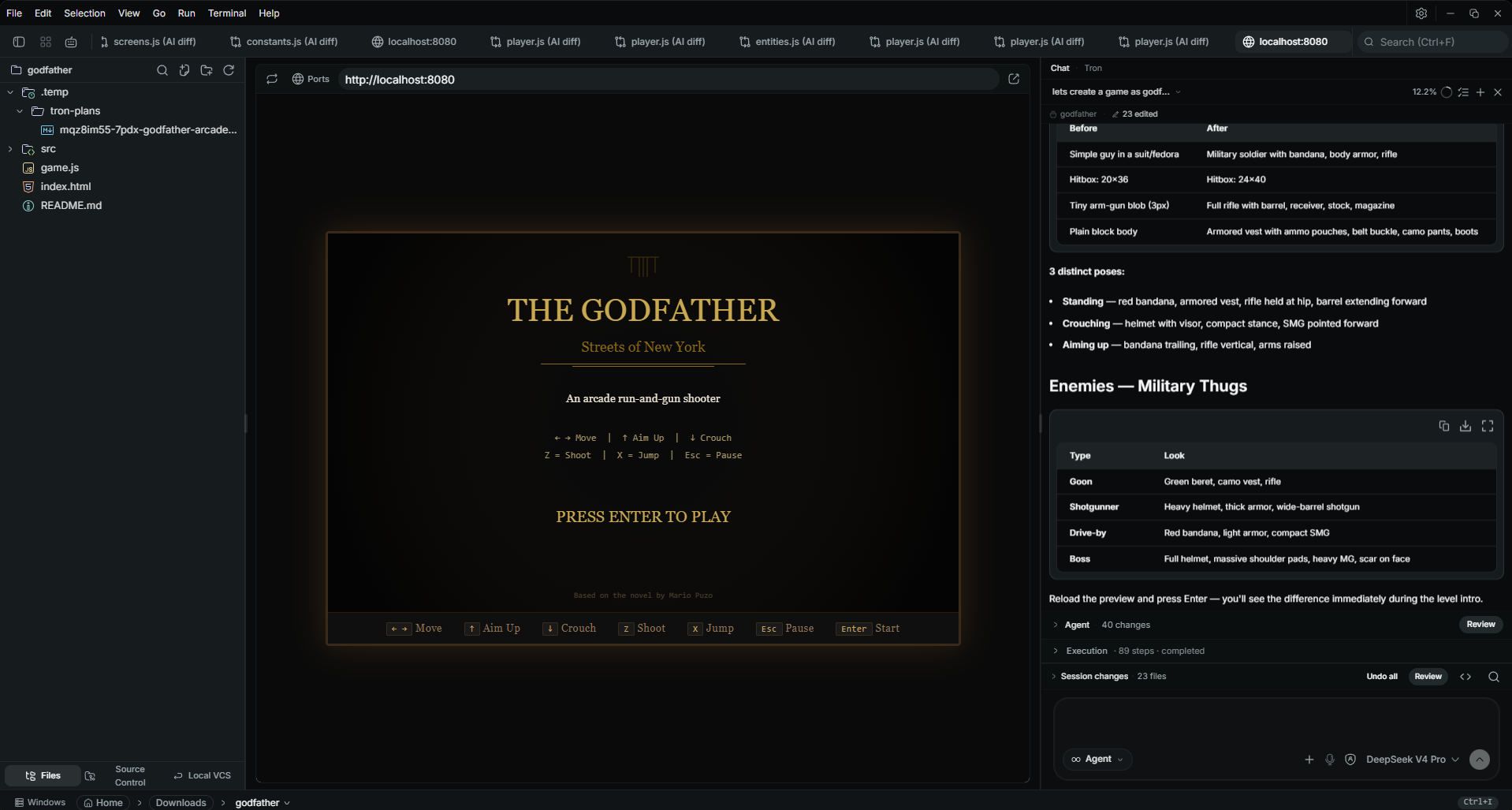
Preview your app without leaving the shell.
Auto-detects local dev servers and opens them in a sandboxed preview tab beside your editor.
- Auto-detect Vite, Next, Astro, and more
- Sandboxed live preview tab next to your editor
- Image and PDF viewers built in
- Hot-reload at the speed of your dev server
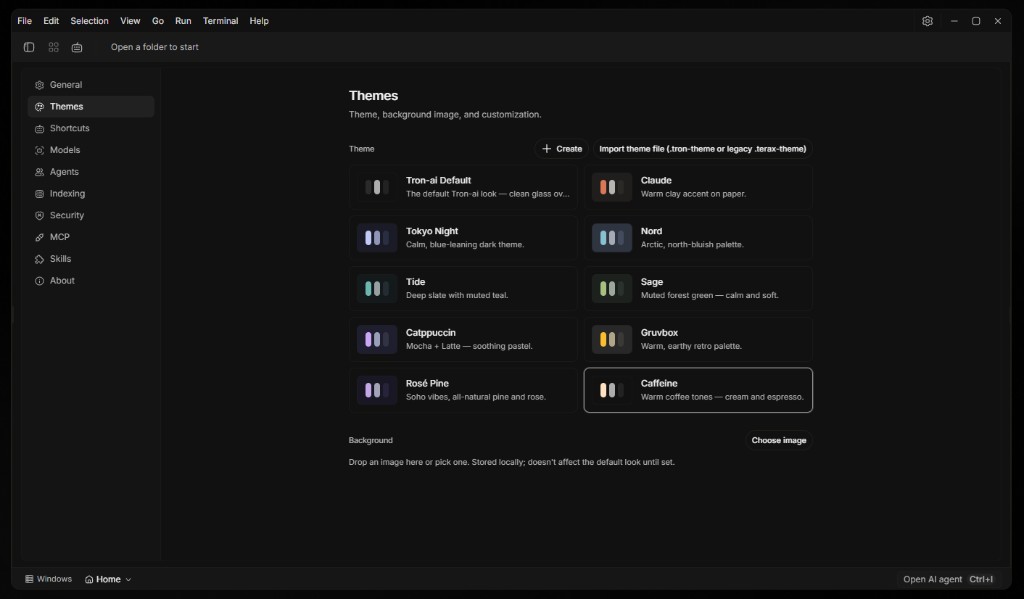
Make it yours, down to the last pixel.
Bundled editor themes and app palettes, custom .tron-theme files, and a background image with opacity and blur.
- App palettes: nord, tokyo-night, catppuccin, gruvbox, rose-pine, and more
- Background image with opacity + blur sliders
- Import and export custom .tron-theme files
- Editor theme picks independently from the app
More built in. No plugin marketplace required.
Live local scanning as you type, plus AI deep-review when agents write — off by default.
Critical findings feed back to the agent so it corrects them before you approve.
Talk to agents via OpenAI Whisper — requires an OpenAI API key.
Run offline with LM Studio, Ollama, or MLX. Inference stays on your machine.
Inline AI completions inside the CodeMirror editor.
Per-project memory and config — versioned with your repo.
Plan mode, slash commands, and callable skills from git repos.
Connect HTTP or stdio MCP tool servers from Settings.
Fuzzy file finder plus optional semantic index with @codebase.
Review every agent change inline before it touches disk.
Modal editing first-class — toggle in Settings.
~66 MB Windows NSIS installer. Tauri 2 — no Electron runtime.
Pick a build. Run it.
No account, no telemetry by default. Windows installer is ready now; macOS and Linux builds will land on GitHub Releases next.
- Downloadx86_64 · NSIS installerTron-ai_0.8.0_x64-setup.exe
- SoonApple Silicon · M1+Tron-ai_0.8.0_aarch64.dmg
- SoonIntel · x86_64Tron-ai_0.8.0_x64.dmg
- SoonAppImage · x86_64Tron-ai_0.8.0_amd64.AppImage
- Soon.deb · Debian / UbuntuTron-ai_0.8.0_amd64.deb
- Soon.rpm · Fedora / RHELTron-ai-0.8.0-1.x86_64.rpm